
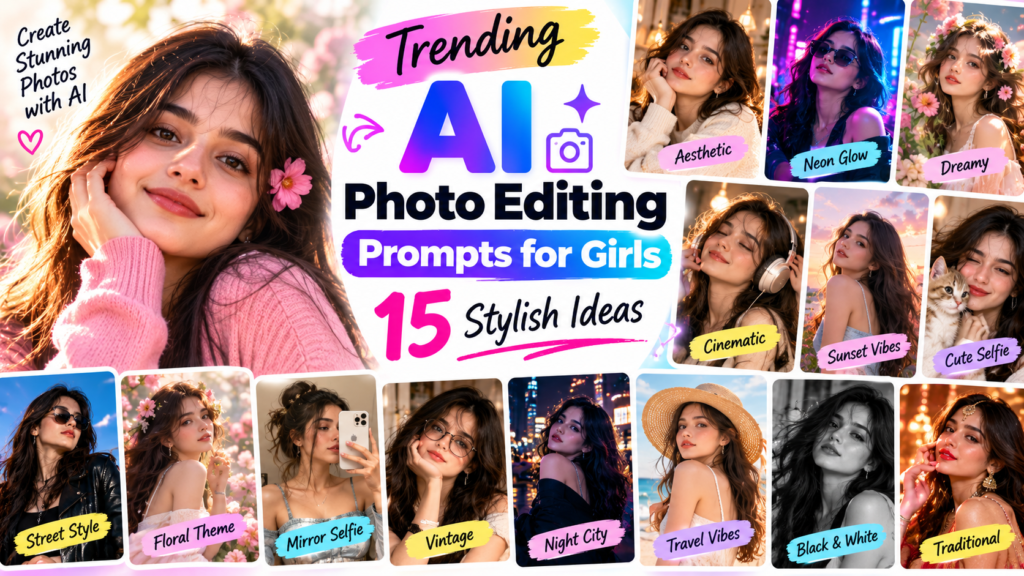
Trending AI Photo Editing Prompts for Girls: 15 Stylish Ideas
By Advit
13 min read
AI photo editing has become a popular way to give everyday pictures a fresh and creative look. With the right prompt, you can transform a simple selfie into a beautiful portrait, create a soft aesthetic background, experiment with cinematic lighting, or design a stylish fashion photograph without spending hours on manual editing.
The best part is that you can start with a photo you already have. Instead of adjusting every detail yourself, you can describe the changes you want and let a compatible AI image editor do much of the work.
In this guide, you will find trending AI photo editing prompts for girls that you can copy, customize, and try with your favorite AI image tool. The collection includes natural selfies, traditional outfits, aesthetic portraits, street photography, studio looks, and more. Each prompt is designed to help you create an attractive image while keeping the result realistic and personal.
What Are AI Photo Editing Prompts for Girls?
AI photo editing prompts are written instructions that explain how an image should look after editing. They can describe the background, lighting, clothing, colors, camera style, mood, and other visual details.
For example, you can ask an AI tool to turn a daytime selfie into a warm sunset portrait or give a simple photograph a soft pastel aesthetic. Some tools can also replace backgrounds, improve lighting, and adjust image composition.
The final result depends on the AI tool, the quality of your original photo, and how clearly you describe the changes. A specific prompt usually gives you more control than a short instruction such as “make my photo beautiful.”
15 Trending AI Photo Editing Prompts for Girls
Try these prompts with an AI image editor that supports photo uploads and editing. Upload your image, paste the prompt, and adjust the details to match your preferred style.
1. Natural Aesthetic Portrait
2. Pinterest-Style Aesthetic Photo
2. Pinterest-Style Aesthetic Photo
3. Golden Hour Sunset Portrait
4. Cute Pink Aesthetic Portrait
5. Traditional Indian Outfit Portrait
6. Modern Saree Fashion Photography
7. Cinematic Black Outfit Portrait
8. Floral Garden Portrait
9. Rainy Day Cinematic Portrait
10. Professional Studio Portrait
11. Coffee Shop Lifestyle Portrait
12. Night City Neon Portrait
13. Vintage Film Photography Look
14. Travel Photography Portrait
15. Minimal White Outfit Portrait
How to Write Better AI Photo Editing Prompts
You do not always need a long prompt to get a good result. The important thing is to describe the changes clearly and avoid mixing too many styles in one instruction.
Start with the main look
First, decide what you want to create. It could be a natural selfie, a traditional portrait, a studio photograph, or a cinematic night scene. Keeping one clear style makes it easier to judge the result.
Describe the lighting and background
Lighting has a major effect on the final image. Soft daylight creates a natural look, golden light adds warmth, and colored neon lighting creates a more dramatic atmosphere. Mention the background you want, such as a garden, studio, cafe, or city street.
Keep facial details realistic
If you are editing an existing portrait, include instructions to preserve the original facial features, identity, hairstyle, and expression. This can help reduce unwanted changes, although not every AI tool will follow these instructions perfectly.
Avoid contradictory instructions
For example, asking for both bright midday sunlight and a dark nighttime setting can confuse the intended style. Choose lighting that matches your background and photography theme.
Make small changes after the first result
If the image looks too bright, ask for softer highlights. If the background is distracting, request less detail and more background blur. Small, specific adjustments often work better than rewriting the entire prompt.
Common AI Photo Editing Mistakes to Avoid
Even a detailed prompt may produce unexpected results. These are some common issues to check before using your edited photograph.
Over-smoothed skin: Ask for natural texture and realistic facial details.
Changed facial features: Clearly request preservation of your original appearance.
Unnatural hands: Check fingers, hand positions, and nearby objects.
Incorrect clothing details: Ask for realistic fabric folds, patterns, and proportions.
Unrealistic lighting: Make sure the subject and background appear to share the same light source.
Excessive background effects: Keep decorative elements subtle so the portrait remains the focus.
Always review the final image at full size. Small errors can be easy to miss in a thumbnail but noticeable when you share or print the photograph.
Best AI Tools for Editing Portraits
Several image tools offer features that may help you create these styles. The available editing options depend on the product and your account.
ChatGPT
ChatGPT can help edit uploaded images when image editing is available. Describe the changes you want, such as a new background, soft lighting, or a traditional fashion look.
Google Gemini
Gemini offers image-generation and editing capabilities in supported experiences. You can use descriptive prompts to explore different portrait styles.
Canva
Canva is useful for combining edited portraits with social media posts, collages, invitations, and other designs. Some AI editing features depend on the plan and region.
Adobe Photoshop
Photoshop provides more detailed editing controls, including background adjustments and image retouching. It is a good option when you want greater control over the final composition.
Before choosing a tool, check its current features, usage limits, and privacy settings. Avoid uploading sensitive personal photographs to services you do not trust.
Frequently Asked Questions
1. Which AI photo editing prompts are trending for girls?
Popular styles include natural aesthetic portraits, golden hour photography, pastel backgrounds, traditional Indian fashion, cinematic portraits, vintage film looks, and colorful neon photography. The best choice depends on your personal style and the photograph you want to edit.
2. How do I make an AI photo look realistic?
Use a clear original photo, describe the lighting and background, request natural skin texture, and avoid excessive filters. After generating the image, inspect the face, hands, clothing, and background for inconsistencies.
3. Can I use these prompts with my own selfies?
Yes. You can try these prompts with your own selfies in image editors that support photo uploads and editing. Results vary by tool, so you may need to adjust the prompt to get the desired appearance.
4. How can I keep my original face in an AI-edited photo?
Include instructions such as “preserve my original facial features, identity, hairstyle, and natural expression.” Some tools offer additional controls for image reference or editing strength, which may help retain the original appearance. Exact preservation is not guaranteed.
5. Can I create traditional Indian portraits with AI?
Yes. You can describe traditional clothing such as a saree or suit, along with fabric details, suitable backgrounds, and natural lighting. Reviewing the final image helps ensure that clothing patterns and cultural details look appropriate.
6. Are these AI photo editing prompts free to use?
The text prompts in this article can be copied and tried without purchasing the prompts themselves. However, individual AI tools may have paid subscriptions, usage limits, or charges for certain editing features.
7. What should I include in a good AI photo prompt?
Describe the subject, background, lighting, photography style, colors, and details you want to preserve. For example, specify a garden background, soft daylight, realistic skin texture, and unchanged facial features.
8. Can I post AI-edited photos on Instagram?
You can generally share images you have permission to use, but you should check the image tool’s terms and the platform’s current rules. Avoid misleading edits, unauthorized use of another person’s image, or content that violates someone’s privacy.
Final Thoughts
The best AI photo editing prompts for girls help you explore different looks without making every picture feel the same. From soft pastel portraits and golden hour selfies to traditional Indian fashion and cinematic city photography, a clear prompt can make the editing process easier and more creative.
Start with one style that matches your photograph, preserve the details that make the image personal, and make small adjustments until the result looks natural. You do not need dozens of effects to create an attractive picture. A thoughtful background, balanced lighting, and realistic details are often enough to make a portrait stand out.