
By Advit
9 min read
Best Festival Look Saree AI Photo Editing Prompts for ChatGPT (Copy & Paste)
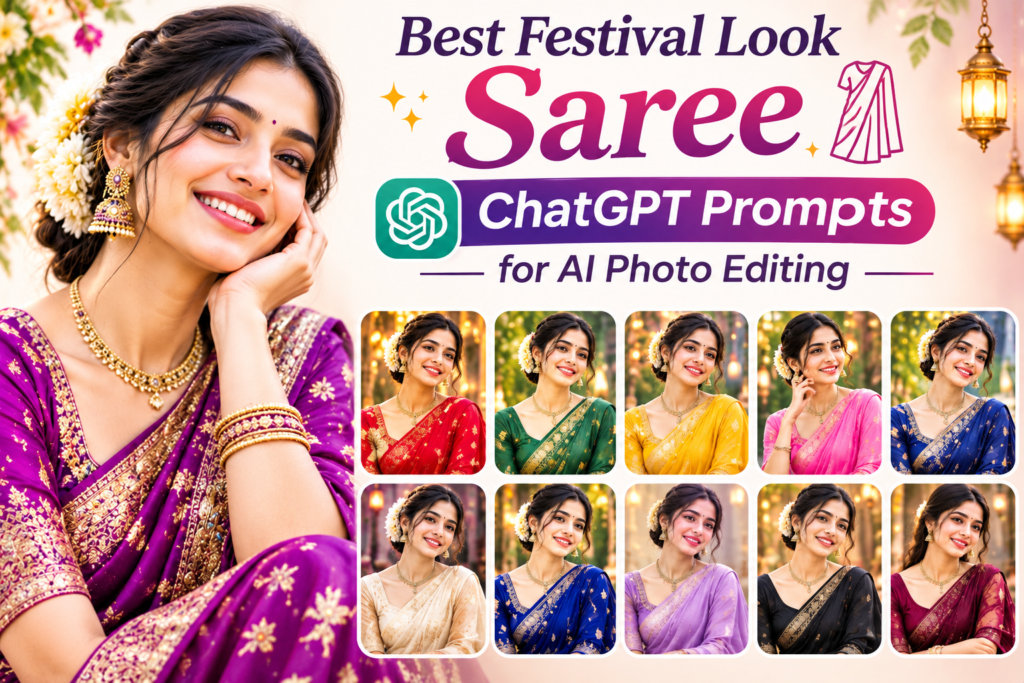
Want to create beautiful festival look saree photos using ChatGPT AI? You don’t need to visit a professional photo studio or buy an expensive outfit to experiment with different festive styles. With the right AI photo editing prompt, you can transform your ordinary photo into a beautiful traditional saree look while keeping your original face and natural appearance.
Whether you love an elegant silk saree, a beautiful red festive outfit, a royal Banarasi saree, or a modern traditional look, these festival look saree ChatGPT prompts will help you create stunning AI-generated portraits.
In this blog, you will find 10 detailed, copy-ready ChatGPT prompts for different festival occasions, including Diwali, Navratri, Karwa Chauth, weddings, and family celebrations.
How to Create a Festival Look Saree Photo Using ChatGPT
Creating a beautiful saree photo with ChatGPT is simple. Follow these steps:
Open ChatGPT on your mobile or computer.
Upload your clear front-facing photo.
Copy your favourite festival saree prompt from this blog.
Paste the prompt into ChatGPT.
Ask ChatGPT to edit your uploaded photo using the instructions.
Wait for the image generation to finish and save your favourite result.
Helpful tip: Use a clear photo with good lighting. Include instructions to preserve your original facial features so the edited image still looks like you.
10 Best Festival Look Saree ChatGPT Prompts
Here are 10 beautiful saree photo editing prompts you can copy and use directly in ChatGPT.
1. Traditional Red Saree Festival Look
2. Royal Banarasi Saree Look
3. Elegant Yellow Saree Haldi Festival Look
4. Diwali Special Green Silk Saree Look
5. Pink Saree Glamorous Festival Look
6. Black Saree Evening Festival Look
7. Traditional Maharashtrian Saree Look
8. White Saree Elegant Festival Look
9. Navratri Special Traditional Saree Look
10. Luxury Designer Saree Photoshoot Look
Tips to Get Better Festival Saree AI Photos
A good prompt makes a big difference in your final image. Follow these simple tips to get more natural-looking results.
Upload a clear photo: Choose a picture where your face is clearly visible.
Mention your original face: Ask ChatGPT not to change your facial features.
Choose specific saree colours: Mention red, green, pink, yellow or any colour you prefer.
Describe the jewellery: Add details about earrings, necklaces, bangles and bindis.
Select a background: Try diyas, flowers, fairy lights, traditional homes or palace interiors.
Use realistic photography instructions: Include natural skin texture, realistic lighting and detailed fabric.
Extra tip: If ChatGPT changes your face, try adding this sentence to your prompt: “Do not recreate or replace my face. Use my uploaded photograph as the exact facial reference and only change my outfit, styling and background.”
Frequently Asked Questions (FAQs)
1. How can I create a festival look saree photo using ChatGPT?
Upload your photo to ChatGPT, paste a saree photo editing prompt and ask it to generate a realistic festive portrait. You can choose different saree colours, jewellery and backgrounds.
2. Can ChatGPT change my dress into a traditional saree?
Yes. You can upload your photograph and describe the saree style you want, such as Banarasi, silk, designer, Nauvari or Gujarati saree.
3. How do I keep my original face in AI saree photos?
Add instructions such as “Preserve my original face, facial features, skin tone and identity. Only change my outfit and background.”
4. Which saree colour is best for a festival look?
Red, green, yellow, pink, royal blue and golden are popular choices. The best colour depends on your personal style and the occasion.
5. Can I use these ChatGPT saree prompts for Diwali and Navratri?
Yes. These prompts include traditional, modern and festive saree styles suitable for Diwali, Navratri, weddings, family functions and other celebrations.
6. Can I create realistic saree photos from ordinary pictures?
Yes. A clear, well-lit photograph can help ChatGPT generate a realistic edited image with different saree designs, accessories and festive backgrounds.
Conclusion
Creating a beautiful festival look saree photo using ChatGPT prompts is a fun way to explore traditional Indian fashion. From a royal Banarasi saree to a beautiful Diwali green silk look, these 10 prompts give you plenty of ideas to try.
Simply upload your favourite photo, copy a prompt and experiment with different colours, jewellery and festive backgrounds. You can also customise the prompts to create your own unique traditional look.
Try these prompts and create beautiful festival saree portraits to share with your friends and family.