
By Advit
11 min read
OnePlus ColorOS 17 Update Schedule 2026: Eligible Phones, Release Dates & New Features
OnePlus users are waiting to see when their phones will receive the latest ColorOS 17 update. The new software update is based on Android 17 and brings a fresh interface, smoother animations, AI-powered features, better customisation and several system improvements.
If you are using a OnePlus flagship, Nord series phone or OnePlus tablet, you might be wondering whether your device is eligible and when the update will arrive in India.
In this article, we will cover the OnePlus ColorOS 17 update schedule, expected release dates, eligible devices, major features, Android 17 improvements and how to download the update. We will also explain what to do if your phone does not receive the update on the announced date.
OnePlus ColorOS 17 Update: What’s New?
ColorOS 17 is the next major software release based on Android 17. It focuses on making everyday phone usage smoother, more personal and more useful.
Some of the important changes include:
A refreshed user interface with glass-like visual elements.
Smoother animations and improved system responsiveness.
New AI-powered tools and smart suggestions.
Better photo editing and image management.
Improved privacy and security features.
Updated multitasking and notification experience.
Better system optimisation and battery management.
The update will arrive in different phases, depending on your OnePlus model and region. So, even if your phone is listed in the schedule, you may need to wait a little longer for the update notification.
OnePlus ColorOS 17 Update Schedule 2026
OnePlus has shared its rollout roadmap for eligible smartphones and tablets. The update starts in October 2026 and continues through December 2026, with a few more devices scheduled for the first quarter of 2027.
Here is the expected rollout schedule for India.
October 2026 Update Schedule
Update date | Eligible devices |
|---|---|
October 29 | OnePlus 15, OnePlus Pad 4 |
October 30 | OnePlus 15R, OnePlus 13, OnePlus 13s |
November 2026 Update Schedule
Update date | Eligible devices |
|---|---|
November 5 | OnePlus 13R |
November 17 | OnePlus 12 |
November 18 | OnePlus Pad 3 |
November 24 | OnePlus Open |
November 26 | OnePlus Nord 6, Nord CE 6 |
These November dates are mentioned in the OnePlus Community rollout announcement.
December 2026 Update Schedule
The following OnePlus devices are scheduled for the December rollout:
OnePlus 12R
OnePlus 12R Genshin Impact Edition
OnePlus 11
OnePlus Nord 5
OnePlus Nord CE 6 Lite
OnePlus Nord CE 5
OnePlus Pad 2
OnePlus Pad Go 2
Q1 2027 Update Schedule
Some additional devices are expected to receive ColorOS 17 between January and March 2027.
OnePlus Nord 4
OnePlus N6
OnePlus N6x
OnePlus N6 Lite
OnePlus Pad Lite
Important: These are planned rollout windows, not guaranteed installation dates. OnePlus releases updates in batches, so two people using the same phone model may receive the update on different days. Region, device variant and carrier requirements can also affect availability.
OnePlus ColorOS 17 Features: What’s New?
The biggest reason to look forward to ColorOS 17 is its combination of visual changes, performance improvements and AI tools. Let’s look at the main features in simple words.
1. New Living Flow Design
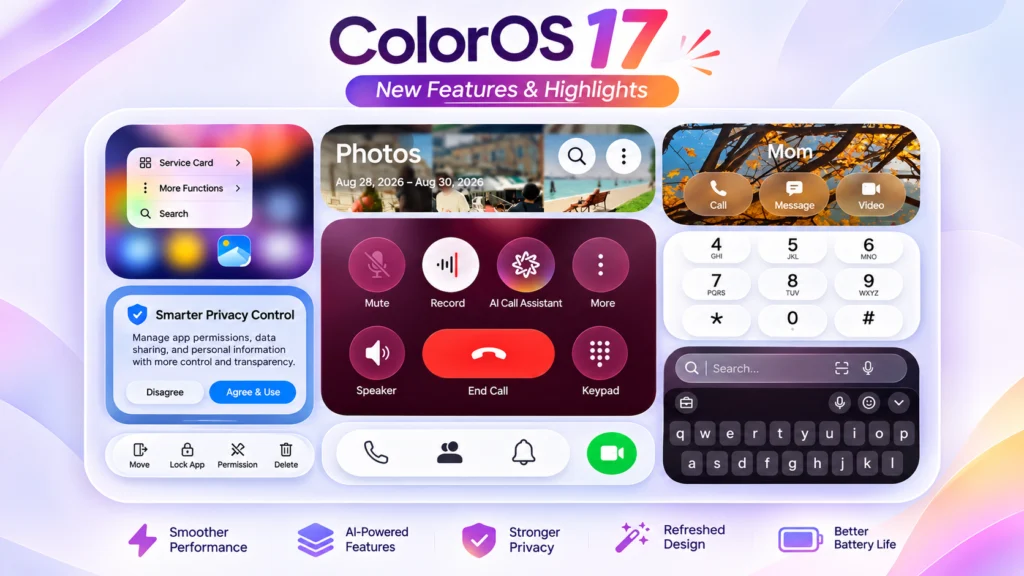
ColorOS 17 introduces a new design language called Living Flow Design. It makes the interface look softer, cleaner and more modern.
You can expect more translucent elements, updated visual effects and smoother transitions across different parts of the phone. The aim is to make the interface feel more natural when you open apps, swipe between screens or use system menus.
2. Smoother Animations and Fluid Motion
Animations are an important part of the OnePlus experience. With ColorOS 17, the company is introducing improvements that make screen interactions feel more natural.
For example:
App opening and closing animations feel smoother.
Transitions between screens look more connected.
Buttons respond with improved visual feedback.
Scrolling and navigation get interface refinements.
The Flexible Feedback feature also makes certain interface elements appear to stretch or bounce when you interact with them.
3. Improved System Performance
Nobody likes a phone that becomes slow after installing a major update. ColorOS 17 introduces a new Unified Rendering Architecture to improve how the system handles visual elements.
According to OPPO, this architecture can reduce rendering workload by up to 30% and rendering-related RAM usage by up to 25%, compared with ColorOS 16.
These are company-reported figures, not a guarantee that every OnePlus phone will become 30% faster. Actual performance will depend on the device hardware and software optimisation.
4. Upgraded Laminar Flow Engine
ColorOS 17 also introduces an upgraded Laminar Flow Engine.
This technology manages system resources to help apps and system features respond more consistently.
The improvements aim to provide:
More stable app launching.
Faster Gallery thumbnail loading.
Better handling of multiple running apps.
Smoother everyday navigation.
Improved system responsiveness.
OPPO claims app launch stability improvements of up to 55% and Gallery thumbnail loading improvements of up to 50%. These are advertised comparisons, so real-world results may differ.
5. New AI Agent Mode
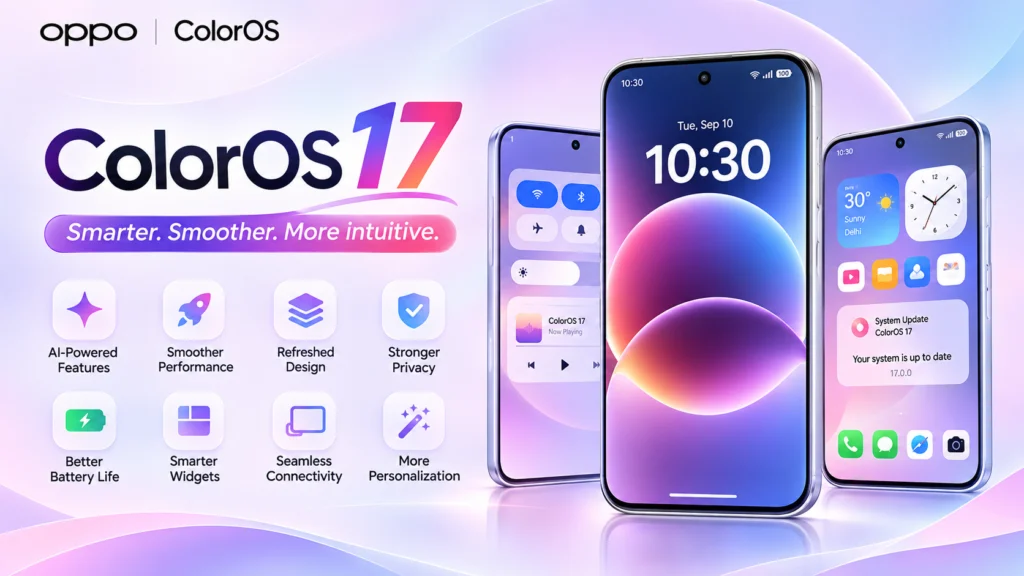
AI Agent Mode is one of the interesting additions to the new software.
Instead of using AI only for simple questions, agent-based features are designed to help with more complicated tasks. For example, an AI assistant can help organise information or guide you through a series of actions.
The actual features available will depend on your phone model, supported services and region.
6. AI Photo Agent
If you enjoy editing photos on your phone, the new AI Photo Agent is worth watching.
It expands the AI photo editing experience with more intelligent editing assistance. The idea is to make common photo improvements easier without spending too much time adjusting every setting manually.
This could be useful when you want to improve a portrait, change the look of a photo or make your pictures ready for social media.
7. AI Mind Space Improvements
AI Mind Space is designed to help users keep useful information in one place.
For example, you might want to save information from your screen, keep useful content for later or organise things you come across while using your phone.
The updated AI experience aims to make saved information easier to manage and find.
8. AI Mind Suggest
AI Mind Suggest focuses on offering helpful suggestions based on relevant context.
The purpose is to reduce the need to search through different apps for information or manually repeat everyday tasks.
Its usefulness will depend on the supported apps, permissions and information available on your device.
9. New Lockscreen Clocks and Widgets
The lock screen is the first thing you see when you pick up your phone. ColorOS 17 brings new lockscreen design options, including updated clock styles and widgets.
These changes give users more ways to personalise their phone without installing additional customisation apps.
You can expect a refreshed look with more visual options, although the available choices may vary between devices.
10. Better Multitasking on OnePlus Tablets
OnePlus tablets are also included in the ColorOS 17 rollout.
The new software is expected to improve the overall tablet experience through system refinements and better handling of larger displays.
For people who use their tablet for studying, office work, browsing or entertainment, smoother multitasking can make everyday use more comfortable.
11. Better Privacy and Security
Privacy is another important part of a major Android update.
ColorOS 17 expands its security-focused AI experience with features such as AI Call Guard and Private Computing Cloud.
AI Call Guard: Designed to help identify potentially suspicious or fraudulent calls.
Private Computing Cloud: Provides privacy protections for supported cloud-based AI processing.
Transparency Report: Helps users review information about AI service activity.
These features are subject to device, regional and service support.
OnePlus ColorOS 17 Eligible Devices: Complete List
Here is a combined list of OnePlus phones and tablets included in the announced rollout roadmap.
OnePlus series | Eligible devices |
|---|---|
OnePlus 15 series | OnePlus 15, 15R |
OnePlus 13 series | OnePlus 13, 13s, 13R |
OnePlus 12 series | OnePlus 12, 12R, 12R Genshin Edition |
OnePlus 11 series | OnePlus 11 |
OnePlus Open | OnePlus Open |
Nord series | Nord 4, Nord 5, Nord 6 |
Nord CE series | Nord CE 5, Nord CE 6, Nord CE 6 Lite |
N series | OnePlus N6, N6x, N6 Lite |
Tablets | Pad 4, Pad 3, Pad 2, Pad Go 2, Pad Lite |
This list follows the published rollout roadmap. Always check the exact model and regional software version before assuming that an update is available.
Is OnePlus Replacing OxygenOS With ColorOS 17?
This is one of the biggest questions among OnePlus users.
OnePlus has announced a change in its software direction, with ColorOS becoming the software platform for its supported Indian devices. This is a major change because OnePlus phones in India have traditionally used OxygenOS.
Many users like OxygenOS because of its clean interface, simple settings and smooth experience. Naturally, some people may be concerned about how this change will affect their phones.
The new ColorOS experience aims to offer similar everyday Android functionality with a different visual design and additional AI features.
If you are currently using OxygenOS, check the official update information for your exact model before installing a major software upgrade.
How to Download and Install ColorOS 17 on OnePlus
Once the update becomes available for your phone, you can check it directly from Settings.
Follow these simple steps:
Open the Settings app on your OnePlus phone.
Scroll down and select About Device.
Tap the Software Update option.
Wait while your phone checks for available updates.
If ColorOS 17 appears, select Download.
Once the download finishes, tap Install.
Wait for your phone to restart and complete the installation.
A small tip: Connect your phone to Wi-Fi before downloading the update. Keep enough storage available and make sure your battery has sufficient charge.
What to Do Before Installing the ColorOS 17 Update?
A major software update can take some time to install. It is better to prepare your phone before starting.
Here are a few things I recommend:
Create a backup: Save your important photos, videos, contacts and documents.
Charge your phone: Keep at least 50% battery before installation.
Check storage: Remove unnecessary files if your phone is running low on space.
Use Wi-Fi: A stable internet connection makes downloading easier.
Update your apps: Install available app updates from the Play Store.
Avoid interrupting installation: Do not force-restart your phone while the update is installing.
These simple steps can help you avoid common update problems.
Why Is ColorOS 17 Not Available on My OnePlus Phone?
Even if your phone is included in the eligible list, you might not receive the update immediately.
There are several possible reasons:
1. Phased rollout: OnePlus releases updates in batches, so not every phone gets the update together.
2. Regional availability: Software availability can differ between countries and regions.
3. Different phone variants: The exact model number and firmware version can affect update availability.
4. Carrier requirements: Some carrier-specific models may need additional approval before receiving an update.
5. Update testing: The company may adjust the rollout if it finds issues that need fixing.
My suggestion is to wait for the official update notification instead of downloading random firmware files from unknown websites.
OnePlus ColorOS 17 vs ColorOS 16: What’s Different?
Here is a simple comparison of the main improvements.
Feature | ColorOS 16 | ColorOS 17 |
|---|---|---|
Android version | Android 16 | Android 17 |
Interface | Previous design | Living Flow Design |
Animations | Existing motion effects | Improved fluid motion |
Rendering | Previous architecture | Unified Rendering Architecture |
AI tools | Existing AI features | Expanded AI features |
Photo editing | Existing editing tools | AI Photo Agent |
AI assistance | Existing AI experience | Agent Mode and Mind Suggest |
Lock screen | Existing customisation | New clock and widget options |
Privacy | Existing security tools | Expanded AI privacy features |
The actual feature experience will depend on your OnePlus model and regional software build.
Frequently Asked Questions (FAQs)
1. When will OnePlus ColorOS 17 launch in India?
The rollout started on October 29, 2026, with the OnePlus 15 and OnePlus Pad 4. Additional devices are scheduled through November and December 2026, with some Nord devices expected in Q1 2027.
2. Is OnePlus 13 getting the ColorOS 17 update?
Yes. The OnePlus 13 is included in the October 30, 2026 rollout schedule.
3. Will OnePlus 12 receive ColorOS 17?
Yes. The OnePlus 12 is scheduled for November 17, 2026, according to the November rollout announcement.
4. Will OnePlus 13R get the ColorOS 17 update?
Yes. The OnePlus 13R was scheduled to receive the update from November 5, 2026.
5. Is OnePlus Nord 5 eligible for ColorOS 17?
Yes. The OnePlus Nord 5 is included in the December 2026 update schedule.
6. Will OnePlus Nord 4 get ColorOS 17?
Yes. The OnePlus Nord 4 is listed for the Q1 2027 rollout.
7. Is ColorOS 17 based on Android 17?
Yes. ColorOS 17 is based on Android 17 and brings new interface, performance and AI improvements.
8. Will ColorOS 17 improve battery life?
The update includes system and resource management improvements, which may help with overall efficiency. However, actual battery life will depend on your phone, battery condition, apps and usage habits.
9. Will all OnePlus phones receive the same ColorOS 17 features?
No. Some features require specific hardware or software support. AI features and other advanced options may not be available on every device.
10. How can I check whether my OnePlus phone is eligible?
Check the eligible device list in this article and visit Settings > About Device > Software Update to check for an available update.
11. Will ColorOS 17 delete my photos and apps?
A normal official OTA update is not intended to delete your personal data or installed apps. However, it is always a good idea to back up important files before installing a major update.
12. Can I manually install ColorOS 17?
Manual installation may be possible through supported official firmware packages, depending on your device. However, you should avoid unofficial ROMs and firmware files from unknown sources.
Final Words
ColorOS 17 is an important software update for OnePlus users. It brings a redesigned interface, smoother animations, AI-powered tools, performance improvements and updated privacy features.
The best part is that the rollout is not limited to the latest flagship phones. Several OnePlus 12, OnePlus 13, Nord series and tablet models are also included in the announced schedule.
If you are using an eligible OnePlus phone, keep checking the Software Update section in Settings. Remember that the announced dates are rollout windows, so your device may receive the update a little later.
Which OnePlus phone are you currently using? Share your model in the comments and let us know whether you have received the ColorOS 17 update.