
By Advit
20 min read
Diwali Photo Prompts: 20+ Trending Gemini AI Photo Editing Prompts for 2026
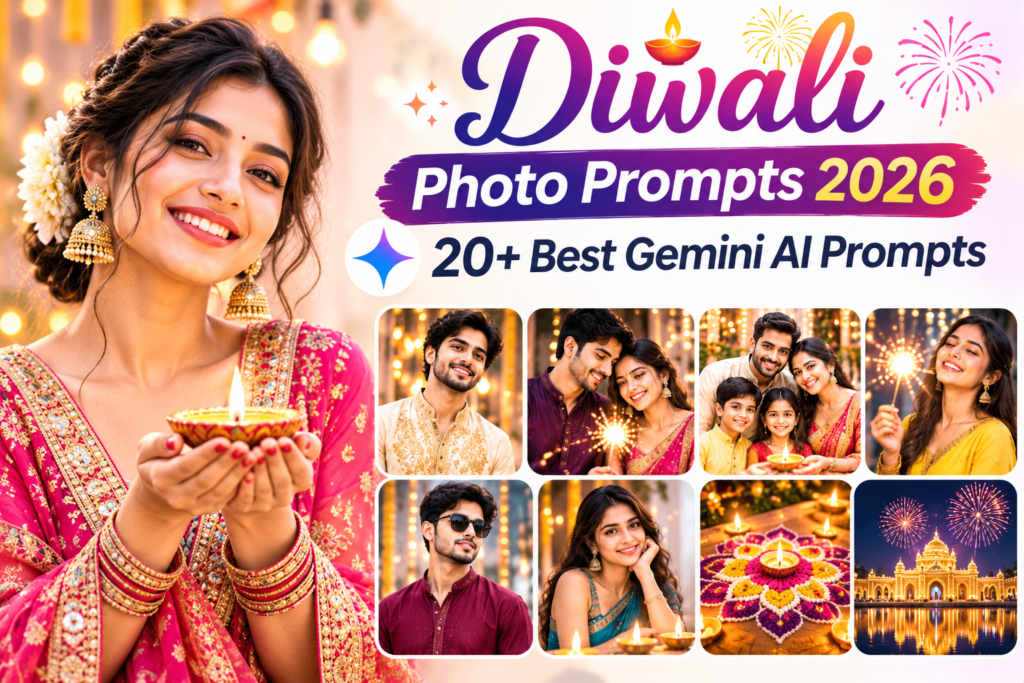
Diwali is a special time for beautiful memories, family celebrations, traditional outfits, glowing diyas, colourful rangoli, and festive photographs. This year, you can make your Diwali pictures even more creative with AI photo editing tools like Google Gemini and Nano Banana.
If you want a beautiful traditional portrait, a romantic Diwali couple photo, a stylish festive look, or a family picture surrounded by lights, the right Diwali photo prompts can help you create stunning images using your own photos.
You don’t need a professional camera, expensive clothes, or advanced photo editing skills. Simply upload your picture, copy a prompt, and let an AI image editor transform your photo into a festive portrait.
In this article, we have collected 20+ best Diwali photo prompts for 2026 that you can copy and use with Google Gemini, Nano Banana, ChatGPT, and other compatible AI photo editing tools.
From traditional Indian outfits and diya photography to couple portraits, family celebrations, and creative Happy Diwali greeting images, there is something for everyone.
What Are Diwali Photo Prompts?
Diwali photo prompts are text instructions that tell an AI image editor how to transform your uploaded picture into a festive photograph.
You can describe the outfit, background, lighting, decorations, pose, and photography style you want. The AI uses these instructions and your uploaded reference image to create a new festive look.
For example, you can use a prompt to:
Create a traditional Diwali portrait in a beautiful saree.
Wear a stylish kurta or sherwani for a festive photoshoot.
Create romantic Diwali couple pictures.
Generate beautiful family portraits with diyas and rangoli.
Make aesthetic Instagram and WhatsApp profile pictures.
Create personalised Happy Diwali greeting cards.
Add realistic fireworks, lanterns, and festive lights.
The best approach is to describe one clear scene at a time and ask the AI to preserve your original facial identity.
How to Create Diwali AI Photos Using Google Gemini
Before trying the prompts, follow these simple steps to create your own festive photographs.
Open Google Gemini on your mobile phone or computer.
Upload a clear photo of yourself, your partner, or your family.
Choose an available image editing or generation feature.
Select one of the Diwali photo prompts from this article.
Copy and paste the complete prompt into Gemini.
Ask Gemini to create the festive photo using your uploaded picture.
Review the generated image and request changes if necessary.
Save your favourite result and share it with friends and family.
Helpful tip: Upload a clear reference picture with your face visible. Always include instructions to preserve your original face, skin tone, hairstyle, and natural appearance.
20+ Best Diwali Photo Prompts for Gemini and Nano Banana
Here are 20 creative Diwali AI photo editing prompts for different styles and occasions. Each prompt is written in simple English so you can copy and use it directly.
1. Traditional Diwali Portrait with Glowing Diyas
Create a beautiful traditional Diwali portrait with warm diya lighting, ethnic clothing, and a festive Indian background. This style is perfect for Instagram and WhatsApp profile pictures.
Copy this prompt:
2. Royal Red Saree Diwali Photo for Girls
A red saree with traditional jewellery creates a beautiful festive appearance. This prompt is ideal for women who want a traditional and elegant Diwali portrait.
Copy this prompt:
3. Stylish Diwali Photo for Boys in Black Kurta
If you prefer a modern traditional look, a black kurta with festive lighting is a great choice.
Copy this prompt:
4. Romantic Diwali Couple Photo with Diyas
Couple pictures are a beautiful way to celebrate Diwali together. This prompt creates a romantic festive scene with traditional outfits and glowing lamps.
Copy this prompt:
5. Beautiful Diwali Family Portrait
Create a memorable family picture with traditional Indian clothing and a beautifully decorated home.
Copy this prompt:
6. Diwali Sparkler Photography at Night
A sparkler creates a beautiful festive atmosphere and makes your photograph look cinematic.
Copy this prompt:
7. Aesthetic Diwali Terrace Photoshoot
A decorated rooftop with lights and a beautiful evening sky creates a modern festive look.
Copy this prompt:
8. Diwali Rangoli Portrait with Traditional Outfit
A colourful rangoli makes a perfect background for a festive Indian portrait.
Copy this prompt:
9. Golden Lehenga Diwali Fashion Portrait
This look is perfect for anyone who wants a glamorous traditional Diwali fashion photograph.
Copy this prompt:
10. Diwali Puja Traditional Portrait
Capture the peaceful feeling of Diwali with a traditional puja setting.
Copy this prompt:
11. Modern Indo-Western Diwali Fashion Look
For those who like modern outfits with a traditional touch, this style creates a fresh festive portrait.
Copy this prompt:
12. Cute Diwali Couple Portrait with Fairy Lights
Create a soft and romantic festive portrait with warm lights and natural expressions.
Copy this prompt:
13. Family Diwali Celebration with Children
This prompt creates a joyful family moment with children enjoying the festival of lights.
Copy this prompt:
14. Cinematic Diwali Night Portrait
A cinematic portrait is a good choice if you prefer dramatic lighting and a premium photography style.
Copy this prompt:
15. Happy Diwali Greeting Card with Personal Photo
Create a personalised Diwali greeting image that you can share with friends and family on WhatsApp and social media.
Copy this prompt:
16. Diwali Traditional Couple Photoshoot in Royal Style
A royal couple portrait is perfect for creating an elegant festive photograph.
Copy this prompt:
17. Diwali Balcony Portrait with Lanterns
A balcony decorated with lanterns and lights creates a beautiful modern festive scene.
Copy this prompt:
18. Traditional Diwali Photo with Phuljhadi
This prompt creates a joyful festive portrait featuring a traditional sparkler moment.
Copy this prompt:
19. Minimalist Aesthetic Diwali Portrait
If you prefer simple pictures instead of heavy decorations, try this minimalist festive style.
Copy this prompt:
20. Diwali Family Group Photo in Traditional Indian Style
Create a beautiful group photograph that brings the entire family together.
Copy this prompt:
21. Diwali Instagram Profile Picture
Want a new festive profile picture? This prompt focuses on your face and outfit with a clean festive background.
Copy this prompt:
22. Diwali Luxury Editorial Photoshoot
This prompt is for creating a premium fashion magazine-style festive photograph.
Copy this prompt:
23. Diwali Greeting Photo for WhatsApp Status
Create a vertical festive image that looks beautiful on WhatsApp Status and Instagram Stories.
Copy this prompt:
Tips for Getting Realistic Diwali AI Photo Results
Sometimes AI photo editing tools change facial features, create unrealistic hands, or add decorations that look artificial. These simple tips can help you improve your results.
1. Upload a Clear Reference Photo
Choose a well-lit photograph where your face is clearly visible. Avoid blurry photos, heavy filters, and pictures with your face covered.
2. Preserve Your Original Face
Add this instruction to your prompts:
“Keep my original face, facial features, hairstyle, skin tone, and identity exactly the same. Do not replace or redesign my face.”
3. Describe the Festive Outfit Clearly
Instead of writing only “traditional clothes”, mention the exact outfit you want, such as:
Red silk saree with golden embroidery.
Cream kurta pajama.
Black embroidered sherwani.
Pastel pink lehenga.
Royal purple traditional outfit.
Beige Indo-Western festive dress.
4. Use Natural Diya Lighting
Diya light creates a warm festive atmosphere. Ask the AI to use soft golden light on your face instead of making the entire photograph overly bright or yellow.
5. Create One Scene at a Time
Avoid combining too many different locations, outfits, and poses in a single prompt. A clear scene usually gives the AI a better direction.
6. Check Faces and Hands
Always review the final image. For couple and family pictures, check that everyone looks recognisable and that hands, jewellery, and clothing appear natural.
Best AI Tools for Creating Diwali Photos
You can experiment with these tools to create different festive pictures.
Google Gemini: Useful for editing uploaded pictures and creating festive portraits with text instructions.
Nano Banana: Useful for creative image transformations, outfit changes, and festive photo styles through supported AI editing features.
ChatGPT: Useful for creating custom photo prompts and generating or editing images.
Canva: Useful for adding greeting messages, decorative elements, and finishing touches to Diwali images.
The available image editing features may vary depending on the tool and subscription.
Frequently Asked Questions About Diwali Photo Prompts
1. How can I create Diwali photos using AI?
Upload your picture to Google Gemini or another compatible AI photo editor. Copy a Diwali photo prompt, paste it into the tool, and ask it to create a festive image using your reference photo.
2. Which are the best Diwali photo prompts for Gemini?
Some popular ideas include traditional diya portraits, red saree photos, black kurta fashion portraits, romantic couple pictures, family celebrations, rangoli backgrounds, and cinematic Diwali night photography.
3. Can I use these Diwali photo prompts with Nano Banana?
Yes. You can use these prompts with supported Nano Banana image editing features. Upload your reference photo and paste the prompt to create a festive transformation.
4. How do I create realistic Diwali couple photos with AI?
Upload a clear picture containing both people and describe their outfits, poses, and festive background. Include instructions to preserve both original faces and identities.
5. How can I create a Diwali family photo using Gemini?
Upload a clear family picture and use a family portrait prompt. Mention the number of family members and ask Gemini not to add, remove, or duplicate anyone.
6. Can I create Happy Diwali greeting cards with my own photo?
Yes. Upload your portrait and use a greeting card prompt that describes the layout, decorations, and exact greeting text you want.
7. Which Diwali photo style is best for Instagram?
Traditional portraits, sparkler photography, rooftop photoshoots, aesthetic couple pictures, and festive profile portraits are all good options for Instagram.
8. How can I keep my original face in AI-generated Diwali photos?
Use a clear reference photo and include a face-preservation instruction in your prompt. Ask the AI to maintain your original facial structure, skin tone, hairstyle, and expression.
9. Can I create Diwali photos without professional editing skills?
Yes. You only need a clear picture, an AI image editing tool, and a suitable prompt. The AI handles most of the image transformation.
10. What is the best outfit for AI Diwali photos?
Traditional outfits such as silk sarees, lehengas, kurtas, and sherwanis work beautifully. You can also experiment with modern Indo-Western outfits for a contemporary festive look.
Conclusion
Diwali is a beautiful occasion to celebrate with family, friends, and loved ones. With these 20+ Diwali photo prompts, you can create traditional portraits, stylish festive photographs, romantic couple pictures, and memorable family images using your own photos.
Whether you prefer a classic saree portrait, a modern kurta look, a colourful rangoli background, or a cinematic photo with glowing diyas, there are plenty of creative styles to explore.
Open Google Gemini or Nano Banana, upload your favourite picture, and try these copy-ready prompts. Experiment with different outfits, backgrounds, and lighting to create a festive photograph that feels natural and personal.
Celebrate Diwali with beautiful pictures, share your favourite creations, and make this festival of lights even more memorable!