
By Advit
16 min read
30 Thanksgiving AI Photo Editing Prompts for 2026: Create Beautiful Photos Using Your Own Picture
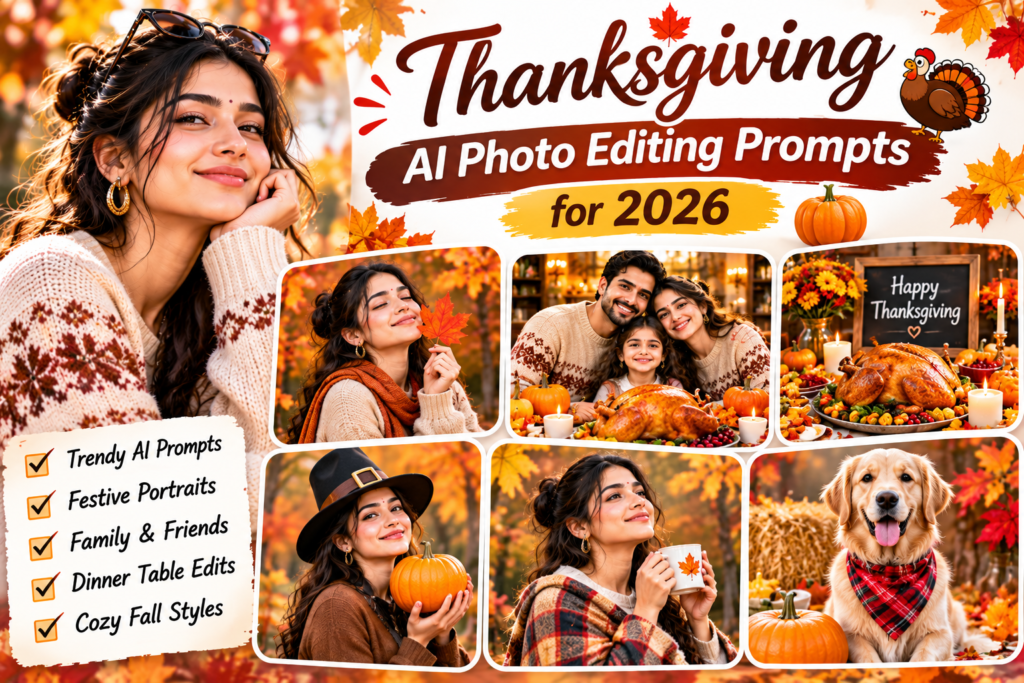
Want to create beautiful Thanksgiving pictures using your own photos? With AI photo editing tools, you can transform an ordinary portrait into a warm Thanksgiving family picture, a cosy autumn photoshoot, an elegant dinner scene, or a festive social media post.
Thanksgiving is a special time in the United States when families and friends come together to share a meal and express gratitude. In 2026, Thanksgiving Day falls on Thursday, November 26. It is observed on the fourth Thursday of November each year.
In this guide, you will find 30 Thanksgiving AI photo editing prompts for 2026. You can copy these prompts into Gemini AI or another image generator that supports photo uploads. Simply upload your own picture, paste a prompt, and create a personalised Thanksgiving image.
What Are Thanksgiving AI Photo Editing Prompts?
Thanksgiving AI photo editing prompts are written instructions that help an AI image generator transform your uploaded photo into a Thanksgiving-themed image.
You can use them to create different styles, including:
Traditional Thanksgiving family portraits
Autumn outdoor photoshoots
Pumpkin and fall leaf backgrounds
Thanksgiving dinner table pictures
Couple and friends photos
Cute Thanksgiving portraits
Professional festive photos
Instagram and Facebook posts
The best part is that you can use your own photograph as the main subject. You do not need to create a completely new character or face.
How to Create Thanksgiving Photos Using AI
Follow these steps to turn your regular photo into a Thanksgiving-themed picture.
Step 1: Choose Your Photo
Select a clear portrait, family photo, couple picture, or full-length photograph. A high-quality image with good lighting will usually produce better results.
Step 2: Open an AI Image Generator
Open Gemini AI or another image generator that supports image uploads. Select the option to add your own photograph.
Step 3: Copy a Thanksgiving Prompt
Choose any prompt from the list below. Each prompt has a different Thanksgiving theme, so you can experiment with multiple styles.
Step 4: Generate Your Image
Paste the prompt and generate the image. If the result changes your face too much, ask the AI to preserve your original facial features and make the background changes only.
Step 5: Save and Share
Once you are happy with the result, save your image. You can share it on Instagram, Facebook, Pinterest, or use it as a Thanksgiving greeting.
30 Best Thanksgiving AI Photo Editing Prompts for 2026
Use your own uploaded photo with these prompts. The prompts are designed for personal portraits, family pictures, couples, and creative festive photos.
1. Classic Thanksgiving Portrait
2. Thanksgiving Family Photoshoot
3. Thanksgiving Dinner Table Portrait
4. Autumn Leaves Photoshoot
5. Thanksgiving Couple Portrait
6. Pumpkin Patch Photoshoot
7. Cosy Thanksgiving Home Portrait
8. Thanksgiving Friends Group Photo
9. Elegant Thanksgiving Fashion Portrait
10. Thanksgiving Porch Decoration Portrait
11. Cute Thanksgiving Portrait
12. Thanksgiving Golden Hour Portrait
13. Thanksgiving Family Matching Outfits
14. Rustic Thanksgiving Photoshoot
15. Thanksgiving Baking Photoshoot
16. Thanksgiving Dinner Host Portrait
17. Thanksgiving Outdoor Picnic
18. Thanksgiving Grandparents and Grandchildren
19. Thanksgiving Professional Headshot
20. Thanksgiving Outdoor Couple Walk
21. Thanksgiving Baby Photoshoot
22. Thanksgiving Pet Photoshoot
23. Thanksgiving Vintage Portrait
24. Thanksgiving Black and Gold Portrait
25. Thanksgiving Watercolour Portrait
26. Thanksgiving Cartoon Portrait
27. Thanksgiving Instagram Story
28. Thanksgiving Greeting Card
29. Thanksgiving Photo Collage
30. Cinematic Thanksgiving Movie-Style Portrait
Bonus: Universal Thanksgiving AI Photo Editing Prompt
Want to create your own Thanksgiving design? Use this simple template and change the background, outfit, or photo style.
Copy this prompt:
Tips for Getting Better Thanksgiving AI Photos
A good prompt can make a big difference, but your original photo and the final image settings also matter.
Use a clear reference photo: Avoid blurry images or photographs where the face is hidden.
Mention identity preservation: Ask the AI to keep your original face and natural features.
Describe the background: Be specific about pumpkins, autumn leaves, dinner tables, fireplaces, or outdoor scenes.
Choose suitable colours: Orange, brown, burgundy, cream, gold, and warm beige work well for Thanksgiving themes.
Try different photo styles: Experiment with realistic portraits, cinematic photography, vintage effects, and greeting-card designs.
Check generated text: AI tools can make spelling mistakes, especially in greeting cards. Add final text manually if needed.
Respect other people’s photos: Get permission before uploading or sharing pictures of family members, friends, or children.
Best Thanksgiving Photo Ideas for Social Media
After creating your AI photo, you can use it in different ways:
Instagram posts with autumn-themed captions
Thanksgiving family photo albums
Facebook holiday greetings
Pinterest Thanksgiving inspiration boards
WhatsApp greeting pictures
Personalised Thanksgiving cards
Seasonal profile pictures and wallpapers
Thanksgiving Caption Ideas
Here are a few simple captions you can use with your new AI photos:
Grateful hearts and full plates. Happy Thanksgiving!
A little autumn magic and a lot to be thankful for.
Family, food, and memories that matter.
Thankful for the little things and the people who make life special.
Making beautiful memories this Thanksgiving.
Autumn leaves, cosy moments, and grateful hearts.
Good food, great company, and endless gratitude.
Frequently Asked Questions
1. How can I create Thanksgiving photos using Gemini AI?
Upload your picture to Gemini AI, choose a prompt from this guide, and ask it to create a Thanksgiving-themed edit. Describe the background, outfit, lighting, and photo style you want.
2. Can I use my own photo for Thanksgiving AI prompts?
Yes. These prompts are designed for use with your own uploaded pictures. Choose a clear photograph and include instructions to preserve your original face and identity.
3. What are the best Thanksgiving photo themes for 2026?
Popular creative themes include autumn leaves, pumpkin patches, family dinner scenes, cosy home portraits, couple photoshoots, and Thanksgiving greeting cards.
4. When is Thanksgiving Day in 2026?
Thanksgiving Day in the United States is Thursday, November 26, 2026. It is observed on the fourth Thursday of November.
5. Can I create Thanksgiving pictures for Instagram?
Yes. You can create square images for Instagram posts or vertical 9:16 designs for Stories and Reels covers. Add a greeting or caption before sharing.
6. Why does AI sometimes change my face?
An AI image generator may interpret your uploaded photo rather than preserve every detail exactly. Use clear reference images and repeat instructions such as “keep my original face and identity unchanged.” Results can still vary between tools.
Final Thoughts
Thanksgiving is a great opportunity to create special pictures with your own photos. Whether you want a family portrait, a romantic autumn photoshoot, a pumpkin patch picture, or a festive greeting card, these 30 Thanksgiving AI photo editing prompts give you plenty of ideas to try.
Choose your favourite theme, upload your picture, and experiment with different styles. Create something personal, share it with family and friends, and make your Thanksgiving 2026 memories even more special.