
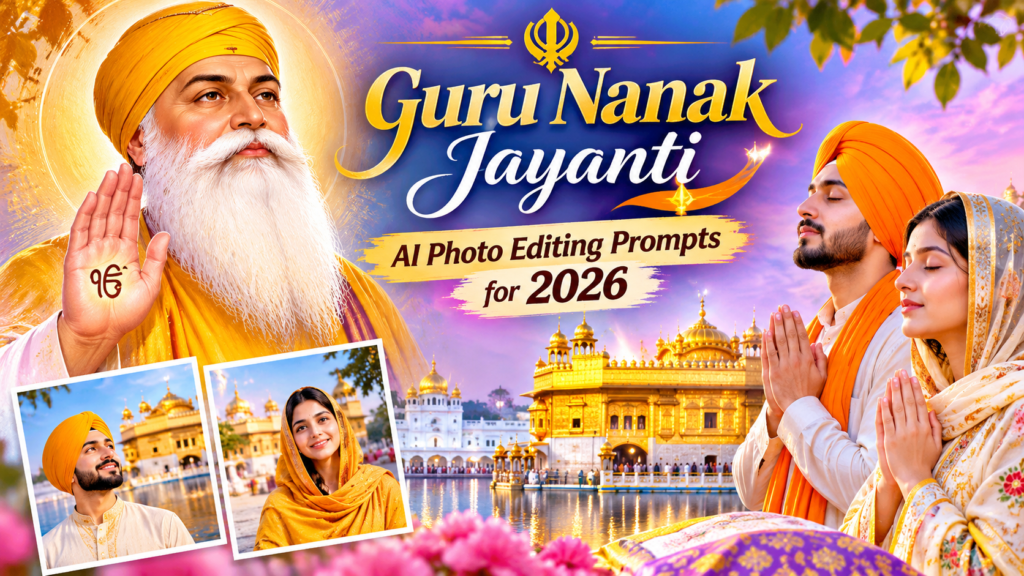
ChatGPT Guru Nanak Jayanti AI Photo Editing Prompts for 2026
By Advit
13 min read
Guru Nanak Jayanti is a meaningful occasion to celebrate the teachings of Guru Nanak Dev Ji, including peace, kindness, equality, humility, and devotion. Many people mark this special day by visiting Gurdwaras, spending time with family, participating in seva, and sharing heartfelt wishes with loved ones.
AI photo editing offers a creative way to make this occasion memorable. With ChatGPT, you can transform an ordinary photograph into a beautiful traditional portrait with peaceful lighting, elegant Punjabi clothing, and a respectful devotional atmosphere. You can also create portraits inspired by the beauty of the Golden Temple, warm sunrise scenes, and traditional festive settings.
In this blog, you will find 25 detailed ChatGPT AI photo editing prompts for Guru Nanak Jayanti 2026. Simply upload your photo, copy a prompt, and use it to create a personalized festive portrait.
How to Create Guru Nanak Jayanti AI Photos with ChatGPT
Before using the prompts, choose a clear photograph with your face visible. A front-facing or slightly angled portrait usually works well.
Follow these simple steps:
Open ChatGPT and go to the image creation feature.
Upload your personal photograph.
Copy one of the Guru Nanak Jayanti prompts below.
Paste the prompt into ChatGPT.
Ask ChatGPT to edit your uploaded photo according to the description.
Review the generated image and request adjustments if needed.
Save your preferred result and share it with family and friends.
Tip: Include instructions to retain your natural facial features, skin tone, and overall appearance. AI editing can still change small details, so check the final image carefully.
25 ChatGPT Guru Nanak Jayanti Photo Editing Prompts
These prompts are designed for peaceful traditional portraits, elegant Punjabi looks, warm lighting, and respectful festive backgrounds.
1. Peaceful Traditional Portrait with a Devotional Atmosphere
2. Golden Temple Inspired Portrait
3. Traditional White Punjabi Outfit Portrait
4. Royal Punjabi Traditional Look
5. Soft Sunrise Devotional Portrait
6. Traditional Punjabi Family Portrait
7. Elegant Portrait with a Golden Background
8. Traditional Punjabi Suit Portrait
9. Peaceful Garden Portrait
10. Traditional Portrait with a Dupatta
11. Minimal White and Gold Portrait
12. Traditional Portrait with Floral Decoration
13. Cinematic Traditional Punjabi Portrait
14. Traditional Portrait at Golden Temple Courtyard
15. Punjabi Traditional Portrait with Soft Bokeh
16. Traditional Portrait with a Peaceful Sky
17. Elegant Punjabi Turban Portrait
18. Traditional Portrait with a Prayerful Mood
19. Family Portrait in Coordinated Punjabi Outfits
20. Traditional Portrait with Warm Candlelight
21. Traditional Portrait with Punjabi Embroidery
22. Peaceful Portrait by a Reflection Pool
23. Traditional Couple Portrait
24. Classic Punjabi Studio Portrait
25. Premium Guru Nanak Jayanti Portrait
Tips for Better Guru Nanak Jayanti AI Photo Editing Results
A well-written prompt can help you get a more natural and attractive portrait. Keep these tips in mind when editing your photographs.
Upload a clear photo: Choose an image with good lighting and a visible face.
Keep your natural appearance: Ask ChatGPT to preserve your facial structure, skin tone, and expression.
Choose traditional clothing: Punjabi suits, kurta-pajamas, and tasteful turbans can create an authentic festive look.
Use soft lighting: Warm daylight and gentle golden tones work well for peaceful portraits.
Keep backgrounds simple: Avoid too many decorative objects that distract from the person.
Respect religious traditions: Use appropriate clothing and settings, especially when creating Gurdwara-inspired backgrounds.
Check the final image: Review facial details, hands, clothing, and background elements before sharing.
Frequently Asked Questions
1. Can I create Guru Nanak Jayanti photos with ChatGPT?
Yes. You can upload a photograph and provide a detailed editing prompt describing traditional clothing, background, lighting, and the overall style you want.
2. How can I create a Golden Temple background?
Upload your photo and use a prompt that describes a Golden Temple inspired setting, peaceful surroundings, soft morning light, and realistic architectural details.
3. Can I use these prompts for family photos?
Yes. Several prompts in this collection are designed for family and couple photographs. Upload a clear group photo and ask ChatGPT to preserve each person’s appearance.
4. Which outfits work best for Guru Nanak Jayanti portraits?
Traditional Punjabi suits, kurta-pajamas, modest festive outfits, and appropriately styled turbans are suitable choices. White, cream, pastel, and subtle golden shades work well for a peaceful look.
5. How do I make AI portraits look more realistic?
Use a clear reference photograph and describe natural skin texture, realistic lighting, accurate facial details, and authentic clothing. Review the generated result because AI may still change small details.
Conclusion
Guru Nanak Jayanti is a beautiful occasion to celebrate peace, kindness, humility, and the teachings of Guru Nanak Dev Ji. With these 25 ChatGPT Guru Nanak Jayanti AI photo editing prompts, you can create traditional portraits with elegant Punjabi outfits, peaceful backgrounds, and a warm devotional atmosphere.
Choose your favorite prompt, upload your photograph, and experiment with different styles to create a meaningful portrait. Keep the edits natural and respectful, and share your festive memories with family and friends.