
By Advit
21 min read
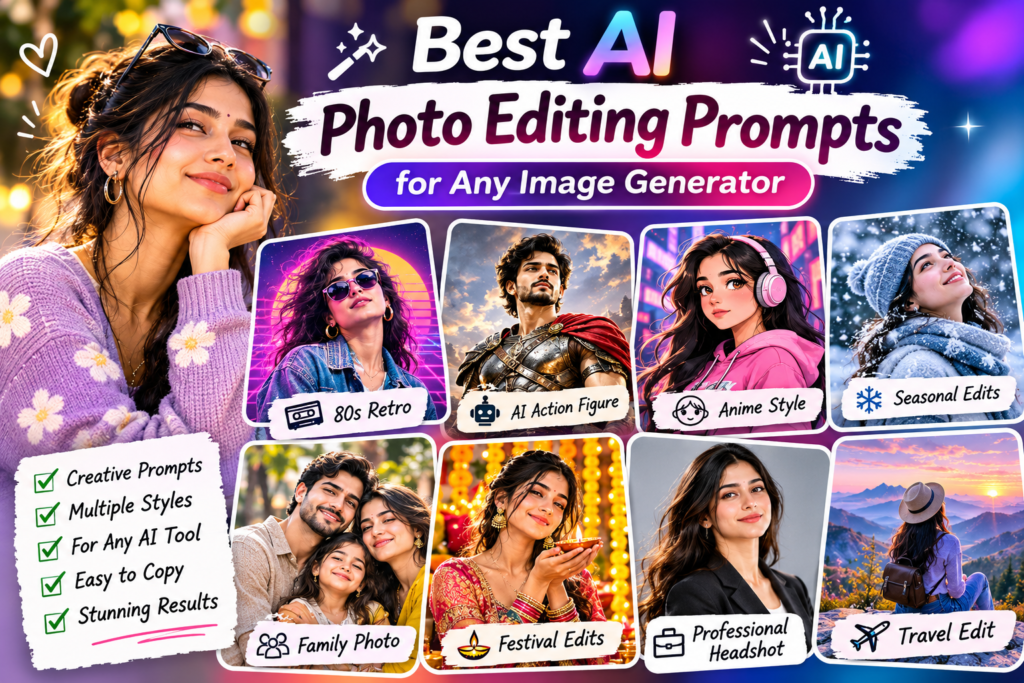
40 Best AI Photo Editing Prompts for Any Image Generator Using Your Own Photo
Have you ever wanted to turn an ordinary photo into a professional portrait, a stylish fashion photoshoot, or a beautiful travel picture? You do not always need a professional photographer or advanced editing software. With an AI image generator, you can upload your own photo, enter a simple prompt, and create a completely different visual style.
Today, many AI image generator tools support photo editing from uploaded images. You can use tools such as Gemini, ChatGPT image generation, Meta AI, and other compatible AI photo editors to change backgrounds, try new outfits, improve lighting, create artistic effects, and explore creative photo styles.
The most important part is writing a clear prompt. Instead of simply asking an AI tool to “make my photo beautiful,” explain the style you want, describe the background, and mention which parts of your original photo should remain unchanged.
In this guide, you will find 40 AI photo editing prompts for any image generator. These prompts are designed for your own uploaded photographs and cover portraits, fashion, travel, couples, family photos, professional headshots, cartoon styles, and more.
How to Use These AI Photo Editing Prompts
You can use these prompts with any AI image generator or photo editing tool that supports uploading an image and editing it with text instructions.
Follow these simple steps.
Step 1: Choose an AI Image Generator
Open your preferred AI image editing tool. Some popular options include:
Check whether your selected tool supports image uploads and photo editing. Features and availability may differ between tools.
Step 2: Upload Your Original Photo
Choose a clear photograph from your phone or computer.
For better results, use an image with good lighting and a clearly visible subject. A front-facing portrait is useful for many editing styles, while a full-body photograph works better for outfit and fashion transformations.
Step 3: Copy Your Favorite Prompt
Choose a prompt from the categories below. Copy it and paste it into the image generator after uploading your photo.
Step 4: Customize the Prompt
Change the outfit, background, colors, lighting, and photography style according to your preference.
For example, you can replace “red traditional dress” with “black evening gown” or change a beach background to a beautiful mountain location.
Step 5: Generate and Improve Your Image
Review the generated result. If something does not look right, give the AI another instruction.
For example:
“Keep my face exactly as it appears in the original photograph. Improve the background lighting and make the image look more natural. Do not change anything else.”
You may need a few attempts to get the result you want.
40 AI Photo Editing Prompts for Any Image Generator
The following prompts are designed to work as starting points with different image editing tools. Upload your own image first, then copy the prompt that matches your idea.
1. Professional Portrait Photo Editing Prompts
Turn an ordinary photograph into a polished portrait with better lighting, clean backgrounds, and professional photography styles.
Prompt 1: Professional Studio Portrait
Prompt 2: Cinematic Portrait
Prompt 3: Golden Hour Portrait
Prompt 4: Black and White Portrait
Prompt 5: Magazine Cover Portrait
2. Fashion and Outfit Change AI Prompts
Want to try a new outfit without taking another photograph? Use these prompts to explore different clothing styles while keeping your original appearance recognizable.
Prompt 6: Traditional Indian Outfit
Prompt 7: Modern Casual Outfit
Prompt 8: Luxury Evening Look
Prompt 9: Streetwear Fashion Look
Prompt 10: Formal Business Outfit
3. Travel and Beautiful Background Editing Prompts
You do not need to visit a new location to experiment with travel-style photography. You can use your uploaded photograph to create imaginative travel portraits with different backgrounds.
Prompt 11: Paris Travel Photoshoot
Prompt 11: Paris Travel Photoshoot
Prompt 12: Mountain Adventure Portrait
Prompt 13: Beach Sunset Portrait
Prompt 14: Luxury Hotel Photoshoot
Prompt 15: Rainy City Street Portrait
4. Couple and Romantic AI Photo Editing Prompts
Use these prompts to create memorable couple portraits, romantic backgrounds, and beautiful photoshoot styles from your uploaded pictures.
Prompt 16: Romantic Couple Portrait
Prompt 17: Traditional Couple Photoshoot
Prompt 18: Pre-Wedding Photoshoot
Prompt 19: Couple Beach Photography
Prompt 20: Vintage Couple Portrait
5. Family and Friends Photo Editing Prompts
Family and friends’ photographs are special memories. These prompts can help you create coordinated portraits, beautiful group pictures, and creative photo styles.
Prompt 21: Professional Family Portrait
Prompt 22: Friends Group Photoshoot
Prompt 23: Family Picnic Portrait
Prompt 24: Childhood Memory Style
Prompt 25: Friends Travel Memories
6. Cartoon, Anime, and Artistic Photo Editing Prompts
If you enjoy creative image styles, these prompts can turn your photograph into an illustration, painting, or animated character while keeping recognizable features.
Prompt 26: Anime Character Transformation
Prompt 27: 3D Cartoon Character
Prompt 28: Colorful Oil Painting
Prompt 29: Pencil Sketch Portrait
Prompt 30: Watercolor Painting
7. Creative and Trending AI Photo Editing Prompts
Try these ideas when you want something different from a normal portrait. You can experiment with futuristic backgrounds, fantasy scenes, cinematic effects, and creative visual transformations.
Prompt 31: Cyberpunk Neon Portrait
Prompt 32: Fantasy Magical Portrait
Prompt 33: Double Exposure Portrait
Prompt 34: Retro 80s Photoshoot
Prompt 35: Dreamy Cloud Portrait
8. Professional and Social Media AI Photo Editing Prompts
These prompts are useful for LinkedIn profile pictures, business portraits, creator profiles, and social media content.
Prompt 36: LinkedIn Professional Headshot
Prompt 37: Personal Branding Photoshoot
Prompt 38: Instagram Creator Portrait
Prompt 39: YouTube Channel Profile Picture
Prompt 40: Professional Fashion Portfolio
Bonus: Universal AI Photo Editing Prompt Template
Want to create your own prompts instead of using the examples above? Use this simple template.
Copy it and replace the words inside the brackets with your requirements.
Universal prompt:
Example of a Customized Prompt
Tips for Writing Better AI Photo Editing Prompts
A clear prompt helps the image generator understand what you want. You do not need complicated words or technical photography terms. Focus on the important details.
Describe the main subject: Explain whether you are editing a portrait, couple photo, family picture, or product image.
Mention what should change: Clearly describe the outfit, background, lighting, or visual style you want.
Protect important details: Tell the AI which facial features, pose, body proportions, or objects should remain unchanged.
Choose a photography style: Use descriptions such as realistic portrait, studio photography, vintage film, or cinematic lighting.
Describe the background: Mention the location, colors, atmosphere, and objects you want.
Avoid conflicting instructions: Do not ask for several completely different styles in one prompt.
Make one change at a time: If the first result is close, ask the tool to improve a specific detail rather than rewriting everything.
Check the final image: Review faces, hands, clothing, text, and other important details before sharing.
These tips follow a useful general approach to image editing: describe the desired result, separate the changes from the details that must stay the same, and refine the result step by step. <Cite refs={[“turn945671search0″,”turn945671search3”]}/>
Common Mistakes to Avoid When Using AI Image Prompts
AI editing is creative, but it does not always produce the exact result on the first try.
Avoid these common mistakes:
Uploading a very blurry or low-quality original photograph.
Writing prompts that are too vague.
Asking the AI to change too many things at once.
Forgetting to mention which facial details should remain unchanged.
Using conflicting instructions about the background or outfit.
Expecting every AI tool to produce identical results.
Ignoring unwanted changes to hands, accessories, or facial details.
Sharing an image without checking its final quality.
Remember that different image generators interpret prompts differently. You may need to adjust a prompt for the tool you are using.
Frequently Asked Questions
1. Can I use these AI photo editing prompts with any image generator?
These prompts are designed as general starting points for image generators that support photo uploads and image editing. The results and available features depend on the tool you use.
2. Can I use my own photo with these prompts?
Yes. Upload your own photograph to a compatible AI image editor, then paste the prompt. Choose a clear image for better results.
3. How can I keep my original face in an AI-generated photo?
Include clear instructions such as “preserve my original face, facial features, skin tone, hairstyle, and identity.” Check the generated image because AI tools may still change some details.
4. Can I change my clothes using AI photo editing prompts?
Yes. You can describe the outfit you want, such as a traditional saree, formal suit, casual dress, or streetwear. Ask the AI to change only the clothing while preserving your original appearance and pose.
5. Can I use these prompts for family and group photos?
Yes. Upload a clear group photo and ask the tool to preserve everyone’s facial identity and appearance. Review each person carefully because group editing can sometimes produce unwanted changes.
6. Why does my AI image look different from the original photo?
AI tools may reinterpret faces, lighting, backgrounds, and other details while editing. Use more specific instructions about what must remain unchanged, and try making smaller edits.
7. Can I use these AI-generated photos on Instagram?
You can generally share images you have permission to use, subject to the image generator’s terms and the rights of anyone shown. Be careful with misleading edits, private photographs, and commercial use.
Conclusion
AI photo editing makes it easier to explore different styles using photographs you already have. With the right prompt, you can create professional portraits, try new outfits, change backgrounds, make artistic illustrations, and prepare attractive social media pictures.
Start with the 40 prompts in this guide, upload your favorite photograph, and customize the instructions to match your idea. You can use the same prompt structure with different compatible image generators and experiment until you find a style you like.
Most importantly, keep your prompts simple, describe exactly what you want to change, and check the final result before sharing it.