
Skip to content
Stylish portrait of a young man enhanced with AI selfie editing and cinematic lighting

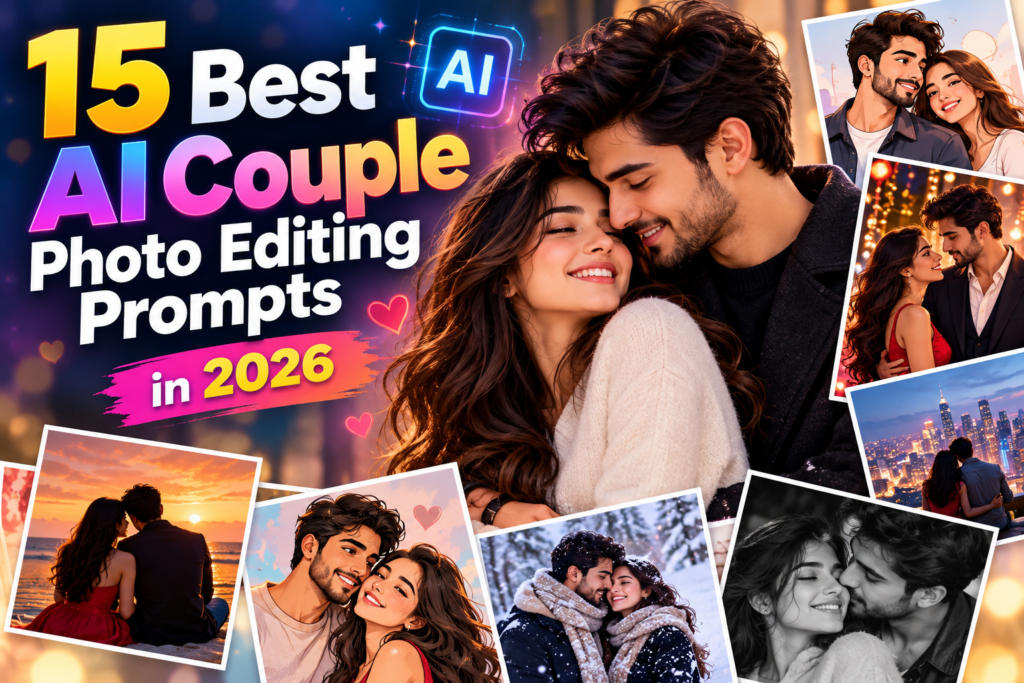
15 Best AI Couple Photo Editing Prompts in 2026

15 Best AI Couple Photo Editing Prompts in 2026

9 min read

Want to make your selfies look more stylish, professional, and eye-catching? AI photo editing tools can help you enhance lighting, improve backgrounds, create cinematic portraits, and experiment with different photography styles using simple text prompts.

Whether you want a clean Instagram profile picture, a moody cinematic selfie, or a trendy streetwear portrait, the right AI prompt can help you achieve your preferred look.

In this guide, discover 15 best AI selfie editing prompts for boys in 2026. These ready-to-copy prompts are designed for natural-looking portraits, social media photos, and creative profile pictures.

What Are AI Selfie Editing Prompts?

AI selfie editing prompts are text instructions that guide an AI image editor in changing the appearance or style of a photograph. You can describe the lighting, background, colors, clothing, and photography style you want.

For best results, upload a clear selfie to an AI image editor that supports reference photos. Then copy a prompt below and customize it to match your personal style.

15 Best AI Selfie Editing Prompts for Boys

AI Prompt 51 words

1. Cinematic Selfie Look

"Transform this selfie into a cinematic portrait with soft directional lighting, natural skin texture, rich contrast, and a beautifully blurred background. Add subtle highlights and professional color grading. Preserve my original face, identity, hairstyle, expression, and natural proportions. Keep the result photorealistic, detailed, and suitable for a premium Instagram profile picture."
AI Prompt 50 words

2. Stylish Instagram Profile Picture

"Enhance this selfie into a polished Instagram profile picture. Use balanced natural lighting, a clean background, sharp facial details, and realistic skin tones. Improve the composition while preserving my original identity, facial features, hairstyle, and expression. Avoid excessive retouching, artificial skin smoothing, and unrealistic effects. Create a modern, professional-looking portrait."
AI Prompt 52 words

3. Moody Dark Portrait

"Edit this selfie into a moody portrait with soft shadows, deep neutral tones, subtle highlights, and cinematic contrast. Use directional lighting to create depth while keeping my face clearly visible. Preserve my original facial features, identity, hairstyle, and expression. Maintain realistic skin texture and avoid making the image excessively dark or artificial."
AI Prompt 54 words

4. Streetwear Fashion Selfie

"Transform this selfie into a modern streetwear fashion portrait. Add an urban background, natural city lighting, and a stylish editorial photography look. If changing the outfit, use contemporary streetwear with realistic fabric textures and natural folds. Preserve my original face, identity, hairstyle, and body proportions. Keep the final image realistic, confident, and visually balanced."
AI Prompt 49 words

5. Golden Hour Selfie

"Enhance this selfie with beautiful golden-hour sunlight. Add warm highlights, soft natural shadows, realistic skin tones, and a gently blurred outdoor background. Keep my face sharp and preserve my original identity, hairstyle, expression, and proportions. Create a relaxed, natural portrait with professional photography quality and subtle warm color grading."
AI Prompt 47 words

6. Black-and-White Portrait

"Convert this selfie into an elegant black-and-white portrait. Use balanced monochrome tones, detailed shadows, soft highlights, and realistic skin texture. Improve clarity without changing my facial structure or expression. Preserve my identity and hairstyle. Create a clean, professional fine-art photography look without excessive sharpening or artificial retouching."
AI Prompt 51 words

7. Gym Selfie Enhancement

"Enhance this gym selfie with balanced lighting, improved clarity, realistic contrast, and natural skin texture. Keep the gym environment believable and preserve my original face, identity, physique, and body proportions. Improve the visibility of existing details without artificially increasing muscle size or changing body shape. Create a realistic fitness photography style."
AI Prompt 50 words

8. Rainy Night Portrait

"Transform this selfie into a cinematic rainy-night portrait. Add a realistic city background, soft streetlight reflections, subtle rain effects, and gentle background bokeh. Use a balanced mix of cool shadows and warm highlights. Preserve my original facial features, identity, hairstyle, and expression. Keep the final photograph realistic, sharp, and atmospheric."
AI Prompt 54 words

9. Luxury Fashion Portrait

"Edit this selfie into a sophisticated luxury fashion portrait. Use elegant lighting, a refined background, natural skin tones, and professional editorial color grading. If requested, change the clothing to a tailored modern outfit with realistic fabric details. Preserve my original face, identity, hairstyle, and natural proportions. Avoid excessive beauty filters and unrealistic skin smoothing."
AI Prompt 51 words

10. Vintage Film Selfie

"Give this selfie a vintage film photography style. Use warm muted colors, subtle film grain, gentle contrast, and softly faded highlights. Keep facial details clear and skin texture natural. Preserve my original identity, hairstyle, expression, and proportions. Create a timeless analog-camera aesthetic without making the image look damaged or excessively filtered."
AI Prompt 49 words

11. Clean Studio Portrait

"Transform this selfie into a professional studio portrait. Add soft studio lighting, a simple neutral background, balanced exposure, and natural skin tones. Keep my face in sharp focus and preserve my original facial features, identity, hairstyle, and expression. Use subtle retouching and realistic detail for a polished, professional headshot."
AI Prompt 51 words

12. Mountain Travel Selfie

"Enhance this selfie into a beautiful mountain travel portrait. Add a realistic mountain landscape, soft daylight, natural atmospheric depth, and balanced colors. Keep the background believable and avoid distracting details. Preserve my original identity, facial features, hairstyle, and pose. Create a high-quality travel photograph with realistic lighting and natural skin tones."
AI Prompt 56 words

13. Neon Cyberpunk Selfie

"Transform this selfie into a modern cyberpunk portrait with subtle neon blue and purple lighting, a futuristic city background, and realistic reflections. Keep my face clearly visible and preserve my original identity, hairstyle, expression, and facial proportions. Use controlled highlights and detailed shadows. Make the image cinematic and stylish without excessive glow or artificial facial changes."
AI Prompt 53 words

14. Minimalist Aesthetic Selfie

"Create a minimalist aesthetic portrait from this selfie. Use a clean background, soft natural light, neutral colors, and balanced composition. Enhance clarity and maintain realistic skin texture. Preserve my original face, identity, hairstyle, and expression. Avoid unnecessary effects, oversaturated colors, and heavy retouching. Make the result clean, understated, and suitable for social media."
AI Prompt 53 words

15. Premium Outdoor Portrait

"Enhance this selfie into a premium outdoor portrait. Improve lighting, exposure, facial clarity, and background separation while maintaining natural colors. Add subtle depth and professional portrait photography grading. Preserve my original identity, facial features, hairstyle, expression, and proportions. Keep the final result realistic and polished without adding unnecessary objects or changing my appearance."

How to Edit Your Selfie Using AI Prompts

Follow these simple steps to create your preferred portrait.

Step 1: Choose a clear selfie

Use an image where your face is visible and reasonably well-lit. A sharp original image generally produces better results.

Step 2: Open an AI image editor

Choose an image editing tool that supports uploading your own photo and entering text instructions.

Step 3: Upload your selfie

Select the image you want to edit. Make sure the important facial details are visible.

Step 4: Copy your preferred prompt

Choose a style from the list, such as cinematic, streetwear, black-and-white, or studio portrait.

Step 5: Generate the edited image

Submit the prompt and review the result. If your face changes, repeat the edit with stronger instructions to preserve your original identity.

Step 6: Save your portrait

Export the image at a suitable resolution. Use a square crop for a profile picture or a vertical format for social media posts and Stories.

Tips for Better AI Selfie Editing Results

  • Use a clear original image: Blurry or heavily compressed selfies can limit the quality of the result.

  • Preserve your identity: Tell the AI to retain your original facial features, hairstyle, and expression.

  • Choose one main style: Combining too many unrelated effects can make the final image look unnatural.

  • Keep skin texture realistic: Excessive smoothing can make a portrait appear artificial.

  • Describe lighting clearly: Terms such as soft studio light, golden hour, and cinematic shadows help guide the result.

  • Check the background: Review generated details for distortions or unwanted objects.

  • Keep the original photo: Save a separate copy before editing so you can compare different versions.

Best Instagram Captions for Boys’ Selfies

Pair your new portrait with one of these short captions:

  1. Simple look, strong vibe.

  2. Confidence starts with being yourself.

  3. Less perfection, more personality.

  4. Just my style, just my story.

  5. Creating my own kind of vibe.

  6. Natural look, timeless mood.

  7. Focused on progress, not attention.

  8. One frame, one moment, one story.

Frequently Asked Questions

1. Which AI selfie editing prompt is best for boys?

Cinematic portraits, clean studio headshots, streetwear looks, and golden-hour selfies are useful options. Choose a prompt that matches your original photograph and desired style.

2. Can AI improve selfies without changing my face?

AI tools may still alter facial details. To reduce unwanted changes, use a clear reference photo and explicitly ask the editor to preserve your identity, facial structure, hairstyle, and expression.

3. Can I use these prompts for Instagram profile pictures?

Yes. The prompts can help create profile portraits in different styles. For a profile picture, request a square crop, clear facial details, and a simple background.

4. Can AI make a selfie look professional?

AI can improve lighting, background separation, composition, and color balance. The result depends on the source image and the capabilities of the editing tool.

5. Can I edit gym selfies with AI?

Yes. You can enhance lighting and clarity while keeping your actual physique and proportions unchanged. Review the output to make sure the AI has not introduced unrealistic body changes.

6. Why does my AI-edited selfie look artificial?

This can happen when the prompt requests excessive smoothing, dramatic lighting, or too many effects. Try simpler instructions that emphasize natural skin texture, realistic lighting, and preservation of the original face.

7. Can I use the same prompt with different AI tools?

Usually, yes, if the tools support image uploads and text-guided editing. Results may vary, so adjust the wording to suit the editor’s capabilities.

Conclusion

AI selfie editing makes it easier to explore different portrait styles without complicated editing steps. From cinematic lighting and streetwear fashion to clean studio portraits and natural outdoor photos, the right prompt can help you create a look that suits your personality.

Try these 15 AI selfie editing prompts for boys in 2026, compare the results, and choose your favorite style. For natural-looking images, use a clear reference photo and ask the AI to preserve your original facial identity.

Leave a Reply

Your email address will not be published. Required fields are marked *